
DIAGNOSTIC &
HARDWARE REPAIR
Laptop or desktop won't turn on, overheats, shuts off, crashes or makes a new noise? The $40 diagnostic finds out what's really wrong. I explain it in plain words and give you the exact price before any repair, then fix it on my bench with parts priced upfront.
Drop-off service only. Bring the computer and its charger to me in Waynesville, NC. No house calls or remote repairs.

WHAT'S INCLUDED
- A full hardware and software check on a Windows, Mac or Linux laptop or desktop
- What's wrong, explained in plain words
- A written quote before any repair, with every part priced
- The $40 counts toward the repair if you go ahead
- Most diagnostics are done in 1 business day
WHAT I DON'T REPAIR
Screens and batteries: I don't replace either.
Phones: no phone repairs. Tablets get software help only, no hardware work.
House calls and remote repairs: every repair is done on my bench in Waynesville.
Not sure whether yours is something I fix? Call and ask, and I'll tell you before you drive over.
Slow, but nothing's broken? See the Speed-Up & Tune-Up →
Open Mon–Sat 7 AM–10 PM · Drop-off & pickup by appointment · book online or call (800) 292-8397
HOW MUCH DOES A COMPUTER DIAGNOSTIC COST?
The diagnostic is $40 ($42.80 with NC sales tax). I check the hardware and software, tell you what's wrong, and give you a written quote before any repair. If you go ahead, the $40 counts toward it: a diagnosed repair's labor is at least $80 in total, or the repair's normal price if that's higher. If you say no, you pay the $40 and that's it.
Already know what you want, like more memory or an SSD? Upgrades you pick yourself don't need a diagnostic. See upgrade prices →
WHAT I REPAIR
- Fans and cooling on laptops and desktops
- Keyboards, depending on the device
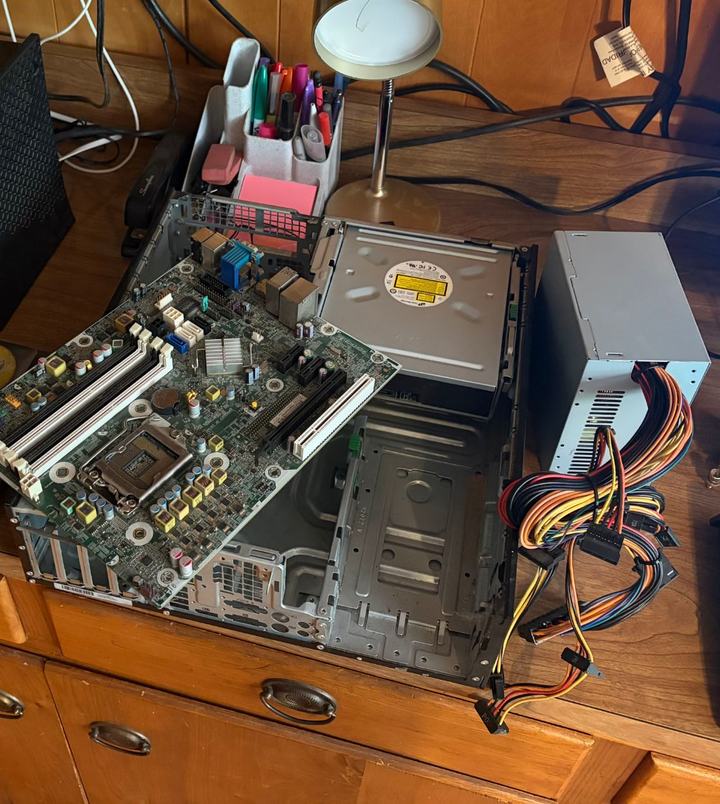
- Desktop power supplies, graphics cards and motherboards
- Failing or dead drives
- Loose or failing memory
- Desktops and laptops that won't turn on, once the cause is found
COMMON PROBLEMS
Won't turn on
The usual suspects are the charger or power adapter, a desktop power supply that died, memory that's loose or failing, a dead drive, or the motherboard. The diagnostic finds which one. A worn-out laptop battery is the one cause I don't replace.
Crashes or blue screens
Often a failing drive, bad memory or a driver problem. The diagnostic tests the hardware, so you know whether it needs a part or a software fix before you pay for either.
Overheating or shutting off
Usually dust and old thermal paste, sometimes a fan that's failing. A Deep PC Cleaning fixes the first; a dead fan gets replaced.
Clicking or grinding drive
If the files on it matter, turn it off and leave it off: a failing drive can get worse every minute it runs. See data recovery before anything else.
PARTS AND TURNAROUND
- Parts are priced upfront: what the part costs me (shipping included) plus 10%, nothing else on top.
- Parts are paid when you approve the exact quote, before I order them. Labor is paid at pickup.
- Most repairs are done in 1 business day; with parts to order, usually 3–5 business days.
- Every repair has a 30-day workmanship warranty, starting at pickup.
- Have the part already? Bring it: same labor, and my warranty covers the installation.
Questions first? Call (800) 292-8397 or see all services and prices →
PAY FOR YOUR DIAGNOSTIC
Paying online is optional: pay below now, or at pickup. Either way, book your drop-off time.
Secure checkout by Square in a new tab: card, Apple Pay, Google Pay, Cash App Pay or Afterpay. Use the same email as your booking so the payment lands on your repair.
BOOK YOUR DROP-OFF
Pick your drop-off time online, then pay now or at pickup — your call.
Pick a Drop-Off Time